100 Days of SwiftUI - Day 4
Hello! And here we are at day 4 of the hackingwithswift.com 100 Days of SwiftUI course. As always, if you need to catch up with the rest of the posts, you can do so over here: https://blog.grayw.co.uk/tag/100daysofswiftui/ - If you're enjoying this series of posts, don't forget to follow the RSS feed.
Workspace
The workspace for today will be the iPad with Swift Playgrounds 4. I'm practically fully charged, so we'll see how this goes.
How to use type annotations
For day 4, we're going to be looking at the last part of complex data types. This will be type annotations.
When should type annotations be used:
- When Swift can't figure out what type should be used
- You want Swift to use a different type from the default
- You don't want to assign a value yet
Why use type inference:
- Can make code shorter and easier to read
- Change the type quickly, and easily by changing the initial value
Type Inference - infers that type is string/int/double/bool because that's what the initial value is
- Type Annotations Review Test: 6/6
Summary: Complex Data
- Arrays store many values, and read them using indicies (zero-based)
- Dictionaries store many values, and read them using keys we specify
- Sets store many values, but we don't choose their order
- Enums create our own types to specify a range of values
- Swift uses type inference by default to figure out what data we're storing
- Type annotation allows us to force a particular data type
// Swift must always know what data type your constants and variables contain (type safe language)

// Variables & Constants
let surname: String = "Lasso"
let score: Double = 0 // If this used type inference, it would have been an Int
var isAuthenticated: Bool = false

let userName: String
userName = "@gray"

// Arrays
var albums: [String] = ["Red", "Fearless"]
var teams: [String] = [String]()
var cities: [String] = []
var clues = [String]()

// Dictionaries
var fosstodonUser: [String: String] = ["id": "@gray"]
var hrData: [Int: String] = [123456: "employeeName"]

// Sets
var fruits: Set<String> = Set([
    "Banana",
    "Apple",
    "Peach",
    "Orange"
])

// enums
enum UiStyle {
    case light, dark, system
}

var style = UiStyle.dark
style = .system
Checkpoint 2
For the second checkpoint, the task was to create an array, and then print the number of items in that array. You also then need to print the number of unique items for that array.
My solution:
let displayNames = ["Batman", "TheRealJoker", "TheRealJoker", "Joker", "Penguin" ]
let numberOfUsers = displayNames.count
print(numberOfUsers)

let uniqueUsers = Set(displayNames)
print(uniqueUsers)
The first part to create the array and the count was fine. However, the unique part I couldn't think how to do straight away. So, I did a little search and got this:
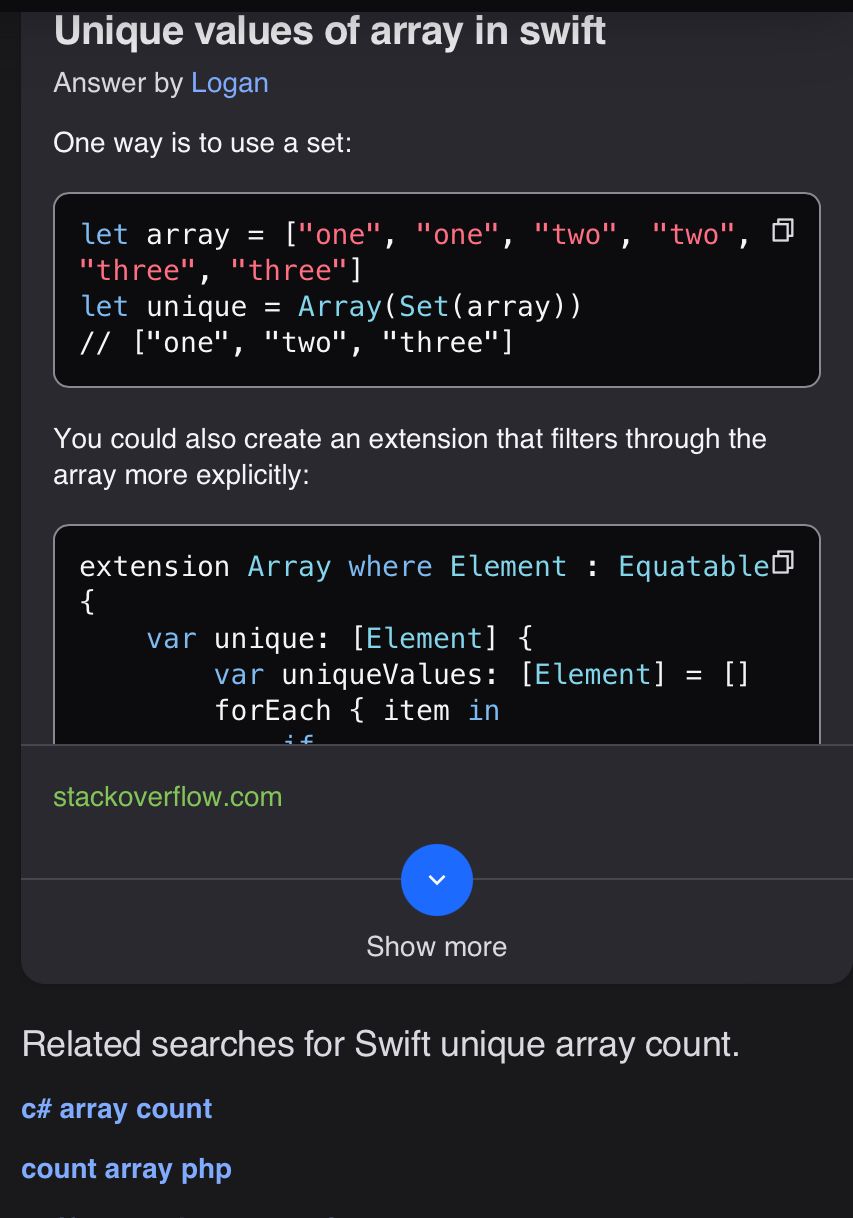
Of course, Sets can't contain duplicate values. I didn't need to create it as a new array, so I left that part off.
Summary
Well, that's the end of day 4. I feel like I should have been able to get the unique items count thing without having to search, but there you go.
I seem to struggle with this single topic being split across multiple days. By the time I've got here, I'm forgetting what was said on day 1.